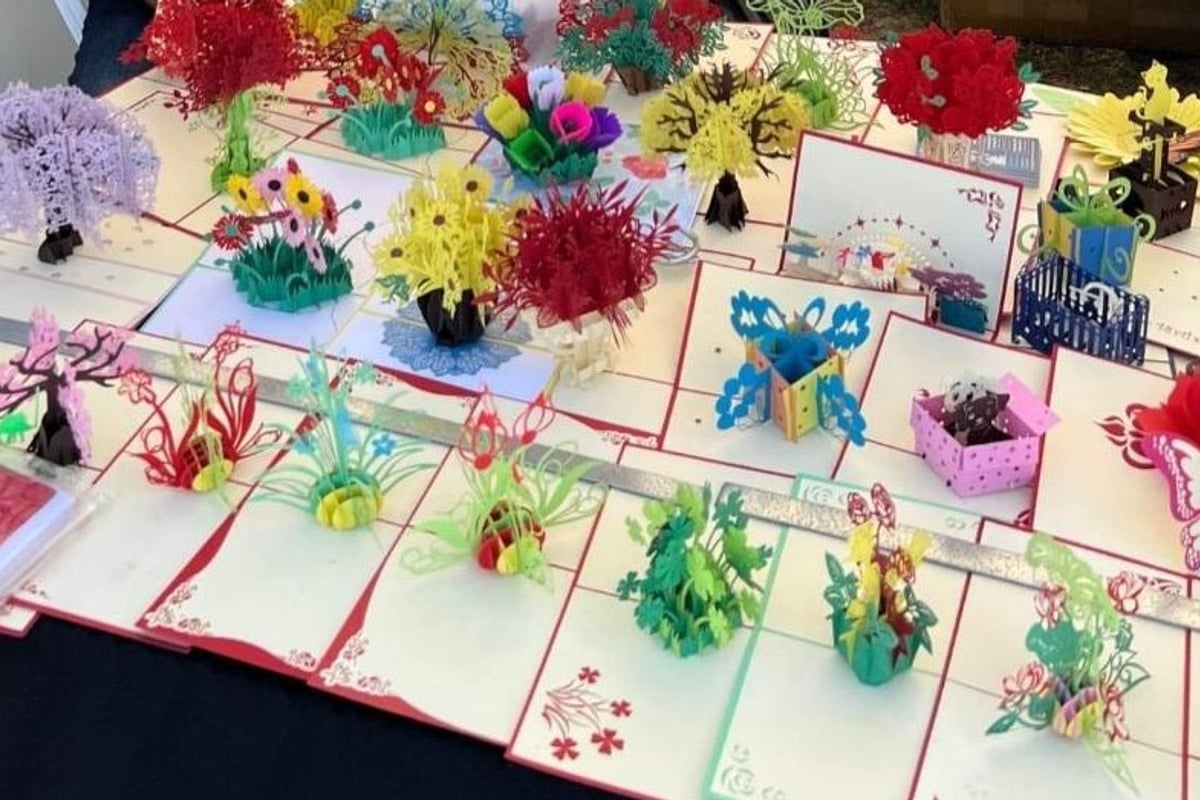
Creating a custom cards template requires careful attention to design principles, production requirements, and user experience. Whether you're designing greeting cards, business cards, or specialty cards, establishing a well-structured template ensures consistency, efficiency, and professional results. Understanding the technical specifications, design constraints, and creative possibilities available in 2026 helps designers and manufacturers produce cards that stand out while meeting production standards.
Mục Lục
Understanding Custom Cards Template Fundamentals
A custom cards template serves as the foundation for repeatable, high-quality card production. The template defines dimensions, safe zones, bleed areas, and design elements that can be customized while maintaining structural integrity. Professional templates account for printing tolerances, paper weight, folding requirements, and finishing processes.
Essential Template Components
Every effective custom cards template includes specific technical elements that ensure print readiness. These components work together to create a reliable framework for design and production.
- Bleed area: Extends 0.125 to 0.25 inches beyond the trim line to prevent white edges
- Trim line: Marks the final cut edge of the card
- Safe zone: Keeps critical text and images at least 0.125 inches from trim
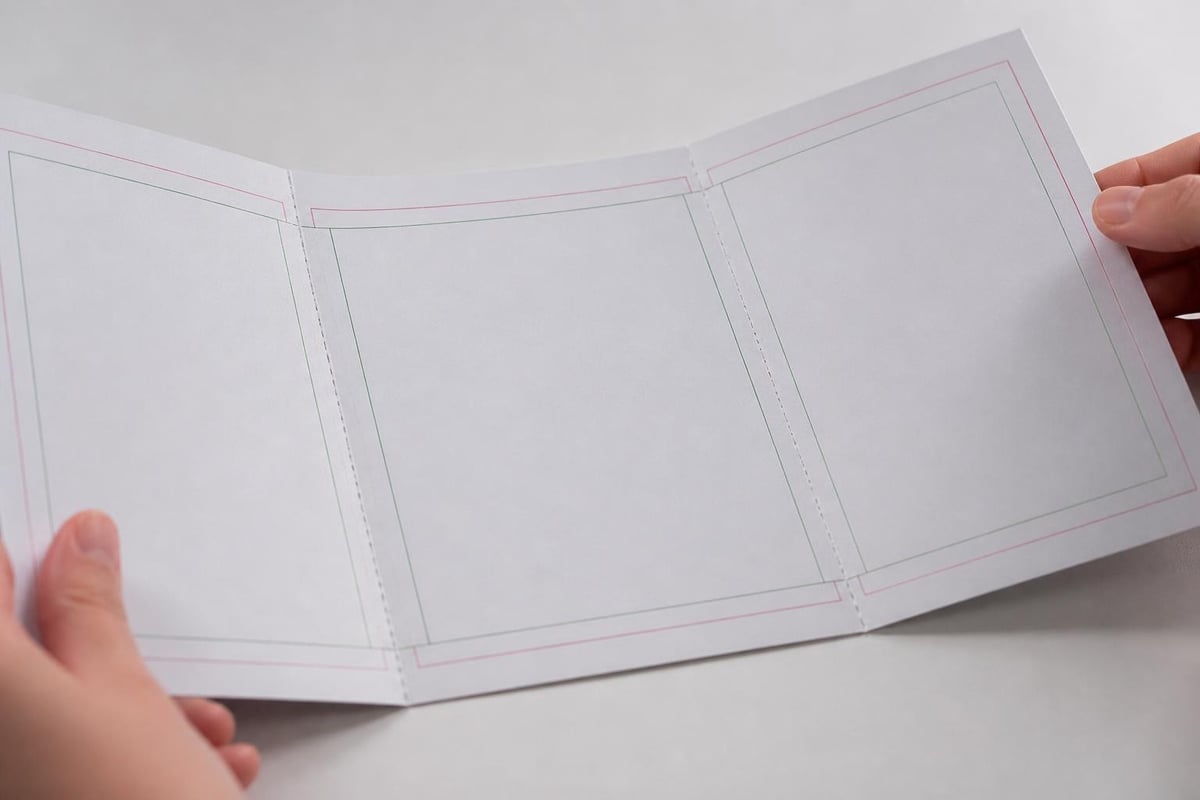
- Fold markers: Indicates precise folding locations for multi-panel cards
- Color mode specifications: CMYK for print, RGB for digital display
- Resolution requirements: Minimum 300 DPI for professional printing
The design guidelines from MOO emphasize that proper spacing between these zones prevents crucial elements from being cut off during production. Templates built with precise measurements reduce waste and ensure consistent results across large print runs.
Choosing the Right Card Dimensions
Standard card sizes offer cost-effective production, while custom dimensions create unique presentation opportunities. Common greeting card sizes include 5×7 inches, 4.25×5.5 inches, and 6×9 inches. Business cards typically measure 3.5×2 inches in the United States, while European formats may differ.
Pop-up cards require additional considerations for depth and mechanism placement. A flower pop up card template, for instance, must account for the three-dimensional structure, folding mechanics, and the space needed for pop-up elements to function correctly. The base card needs sufficient rigidity to support the pop-up mechanism while maintaining an attractive exterior design.
| Card Type | Standard Size | Bleed | Safe Zone |
|---|---|---|---|
| Greeting Card (Portrait) | 5×7 inches | 0.125 in | 0.25 in |
| Greeting Card (Square) | 6×6 inches | 0.125 in | 0.25 in |
| Business Card | 3.5×2 inches | 0.125 in | 0.125 in |
| Pop-up Card (Folded) | 5×7 inches | 0.125 in | 0.375 in |
Designing Your Custom Cards Template
Template design balances creative expression with technical requirements. Successful templates provide enough structure to ensure quality while offering flexibility for customization. The design process involves selecting typography, establishing color palettes, creating grid systems, and organizing layers for efficient editing.
Typography and Text Placement
Font selection impacts readability and brand consistency. Professional custom cards templates include designated text areas with appropriate font sizes and styles. Minimum readable font sizes for printed cards typically start at 8 points, though 10-12 points provides better legibility.
Key typography considerations include:
- Heading fonts should be at least 14-18 points
- Body text works best at 10-12 points
- Line spacing (leading) should be 120-150% of font size
- Character spacing (kerning) affects readability at small sizes
According to comprehensive printing guidelines, text positioned too close to fold lines may crack or become illegible. Templates should mark text-free zones along fold areas to prevent this issue.
Color Systems and Image Resolution
Color management separates amateur designs from professional production. A robust custom cards template specifies color modes, profiles, and conversion processes. CMYK color mode suits offset printing, while special finishes may require Pantone color specifications.
Image resolution directly affects print quality. Templates should require 300 DPI minimum for photographs and 600 DPI for line art. Vector graphics scale without resolution loss, making them ideal for logos and geometric designs. The artwork guidelines from EcoEnclose provide downloadable templates with pre-configured color and resolution settings.
Building Templates for Different Card Types
Various card categories demand specialized template approaches. Greeting cards, business cards, postcards, and specialty cards each have unique requirements. Understanding these differences ensures templates serve their intended purpose effectively.
Greeting Card Templates
Greeting cards typically feature front cover designs, interior messages, and back panel information. The custom cards template must accommodate both horizontal and vertical orientations while maintaining design consistency.
Standard greeting card template structure:
- Front panel: Primary image or design with minimal text
- Interior left: Optional design element or blank space
- Interior right: Message area with adequate margins
- Back panel: Branding, barcode, or additional design
Pop-up greeting cards require interior space allocation for three-dimensional mechanisms. The template must indicate where pop-up elements emerge and ensure adequate clearance when the card closes. Professional manufacturers consider paper weight, folding precision, and assembly requirements when creating these specialized templates.

Business and Professional Card Templates
Business card templates prioritize information hierarchy and brand consistency. The compact format requires efficient use of space while maintaining visual appeal. Standard business cards use front and back panels, though luxury options may incorporate folding or die-cut elements.
Professional templates organize contact information logically, typically placing names and titles prominently on the front with detailed contact information on the back. The design specifications from WHCC detail precise measurements for business card templates, including bleed and safe zone requirements.
| Element | Front Panel | Back Panel |
|---|---|---|
| Logo | Primary placement | Optional small version |
| Name | Large, prominent | Not repeated |
| Title | Below name | Not repeated |
| Contact Info | Phone only | Full details |
| QR Code | Optional | Recommended |
Template Preparation for Production
Production-ready templates incorporate technical specifications that ensure smooth manufacturing. File format selection, color profile embedding, and proper layer organization prevent common printing errors. Professional templates include these elements from the initial design phase rather than adding them as afterthoughts.
File Formats and Software Requirements
PDF format remains the industry standard for print production, offering reliable color management and font embedding. Adobe Illustrator and InDesign create print-ready PDFs with proper bleed and color settings. Alternative software like Affinity Designer or CorelDRAW also produces professional results when configured correctly.
The card design guide from Print Four Souls recommends specific software settings for various card types, including template dimensions, resolution, and export options. Templates should be saved in editable formats (AI, INDD) alongside final PDF versions to allow future modifications.
Quality Control Checkpoints
Before sending a custom cards template to production, verify these critical elements:
- Color mode: Confirm CMYK for print, check for RGB elements
- Resolution: Verify all images meet 300 DPI minimum
- Fonts: Outline or embed all fonts to prevent substitution
- Bleed: Ensure design extends fully into bleed area
- Safe zone: Confirm critical elements stay within safe margins
- Trim marks: Include printer's marks for accurate cutting
Professional manufacturers often provide preflight checks that identify potential issues before printing begins. These automated systems detect missing fonts, low-resolution images, and color space problems that could compromise final results.
Advanced Template Techniques
Sophisticated custom cards template designs incorporate special finishes, variable data printing, and interactive elements. These advanced techniques create memorable cards that stand out in competitive markets. Understanding production capabilities helps designers push creative boundaries while maintaining manufacturability.
Incorporating Special Finishes
Foil stamping, embossing, and spot UV coating add tactile and visual interest to card designs. Templates for special finishes require additional layers indicating where these treatments apply. Foil stamping templates typically use separate color channels or spot colors to mark foil application areas.
Popular finishing techniques include:
- Metallic foil stamping in gold, silver, or custom colors
- Embossing or debossing for raised or recessed elements
- Spot UV coating for glossy highlights on matte cards
- Die-cutting for custom shapes and window effects
Templates must account for registration tolerances when combining multiple finishes. Designs should avoid placing fine details in foiled or embossed areas where registration variations might create quality issues.
Variable Data Printing Integration
Variable data printing (VDP) allows personalization of individual cards within a print run. A well-designed custom cards template includes designated fields for variable information such as names, addresses, personal messages, or unique images. Database-driven templates merge design files with data sources to produce customized cards efficiently.
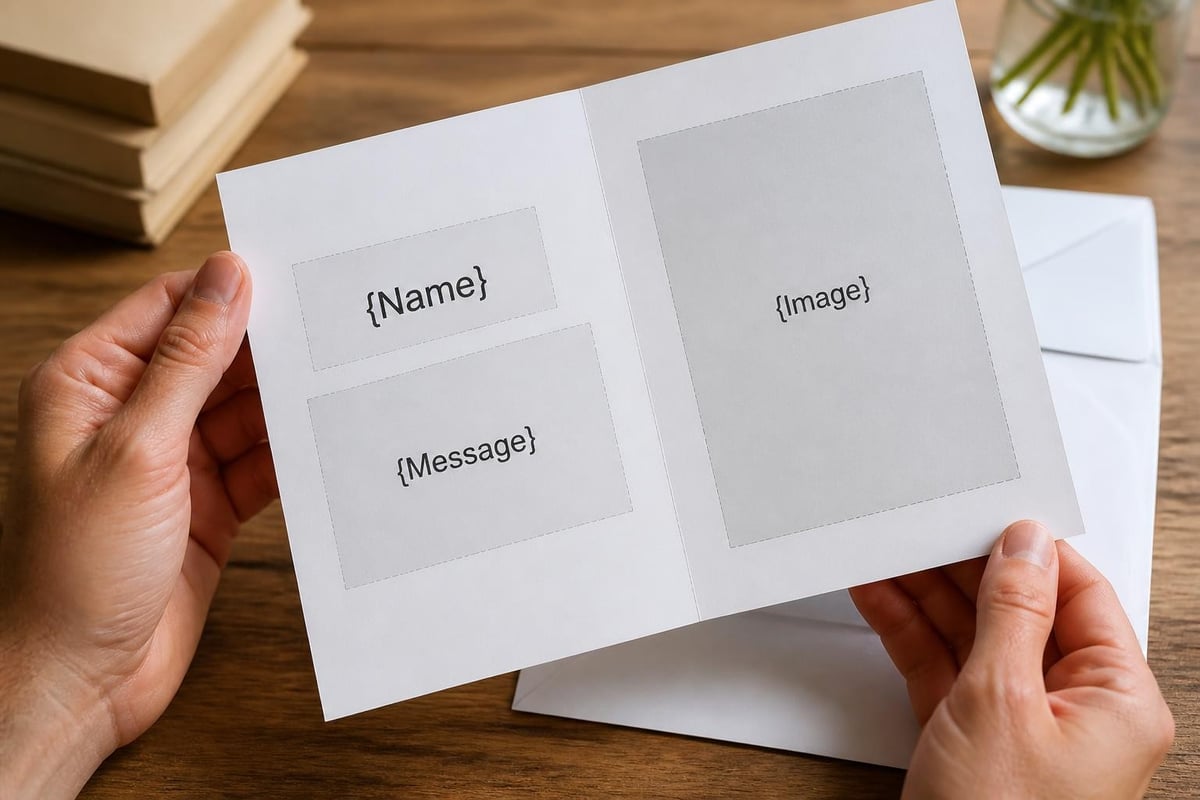
Modern VDP systems handle complex personalization scenarios, from simple name insertion to completely unique imagery on each card. The template structure determines how easily designers can implement these personalizations without compromising overall design quality.
Template Management and Version Control
Organizations producing multiple card designs benefit from systematic template management. Version control, naming conventions, and template libraries ensure design consistency across products and time periods. Proper organization reduces errors and accelerates production workflows.
Creating a Template Library
A comprehensive template library organizes designs by category, size, occasion, and technical specifications. This system allows designers to quickly locate appropriate starting points for new projects. The library should include:
Base templates with only technical specifications (bleed, safe zones, dimensions) Style templates featuring brand colors, fonts, and design elements Production templates optimized for specific printing processes or finishes Archive templates preserving historical designs for reference or reuse
Digital asset management systems help large organizations maintain template libraries. These platforms support search functionality, access controls, and automated version tracking that manual file systems cannot provide efficiently.
Collaboration and Approval Workflows
Professional card production involves multiple stakeholders reviewing designs before production. Templates should accommodate review processes through clear labeling, version numbering, and proof generation. PDF proofs with crop marks and color bars help reviewers understand how final cards will appear.
Cloud-based design platforms enable real-time collaboration where team members comment directly on template files. This approach reduces email confusion and maintains a clear record of requested changes. Many manufacturers now integrate with these platforms, receiving approved files directly from design systems.
Template Optimization for Different Printing Methods
Different printing processes impose unique requirements on custom cards template design. Digital printing, offset printing, and letterpress each demand specific file preparations. Understanding these differences helps designers create templates that maximize quality while minimizing production costs.
Digital Printing Considerations
Digital printing excels at short runs and variable data applications. Templates for digital printing should use CMYK color with awareness that digital presses may have narrower color gamuts than offset printing. The technology handles fine details and gradients well but may show banding in large solid areas.
Professional manufacturers suggest avoiding extremely light tints below 5% density in digital printing templates, as these may not reproduce consistently. Similarly, very dark areas combining high percentages of multiple colors can cause drying issues or color shifts.
Offset Printing Requirements
Offset printing delivers superior color consistency for large production runs. Templates designed for offset printing can utilize broader color gamuts and should specify Pantone colors for brand-critical elements. The process handles fine screens and smooth gradients excellently when files are properly prepared.
Offset templates must account for trapping, where slight overlaps prevent white gaps if registration shifts slightly during printing. Professional design software includes automatic trapping, but designers should understand how it affects fine details and text.
| Printing Method | Best For | Minimum Run | Color Options |
|---|---|---|---|
| Digital | Short runs, VDP | 25-100 cards | CMYK standard |
| Offset | Large volume | 1000+ cards | CMYK + Pantone |
| Letterpress | Premium finish | 100-500 cards | Limited colors |
| Screen | Bold designs | 50-250 cards | Vibrant spot colors |
Creating effective custom cards template designs requires balancing creative vision with technical precision, understanding production requirements, and organizing files for efficient workflows. These templates serve as the foundation for consistent, high-quality card production across various applications and occasions. When you're ready to transform your custom card concepts into stunning three-dimensional reality, The3dCards combines advanced laser-cutting technology with skilled craftsmanship to manufacture premium pop-up greeting cards that exceed standard template limitations and create unforgettable experiences for recipients worldwide.